
If you want to improve your website’s visibility on search engines like Google, then learning how to use Google Search Console is very important. Google Search Console is a free tool that helps website owners monitor, maintain, and improve their website’s presence in search results. It provides valuable insights into how your website performs, which keywords bring traffic, and what technical issues may affect your rankings.
In this Google Search Console guide, you will learn how to set up your account, verify your website, submit a sitemap, check indexing status, analyze performance reports, and fix common errors. This step-by-step guide is perfect for beginners who want to improve their SEO skills.
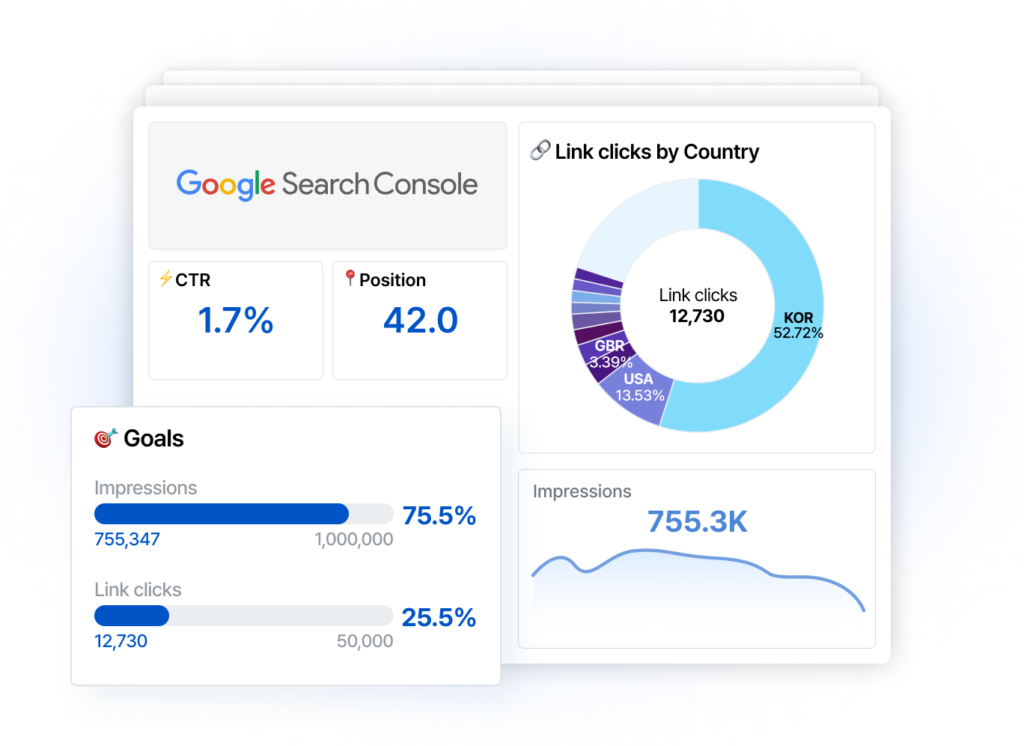
Google Search Console is essential because it allows you to see how Google views your website. You can check which queries bring traffic, how many users click on your pages, and what position your website ranks for specific keywords. Without this data, it is difficult to measure SEO success.
The first step in this Google Search Console guide is creating an account. To get started, visit the Google Search Console website and log in using your Google account. After logging in, you will need to add your website as a property. You can choose between Domain Property and URL Prefix Property. Domain property tracks all versions of your website, while URL prefix tracks a specific URL version.
After adding your website, the next important step is website verification. Verification proves that you are the owner of the website. Google provides multiple verification methods such as HTML file upload, HTML tag, Google Analytics integration, and DNS record verification. Many beginners prefer HTML tag verification because it is simple and quick. Once verification is complete, you will gain full access to your website data inside Google Search Console.
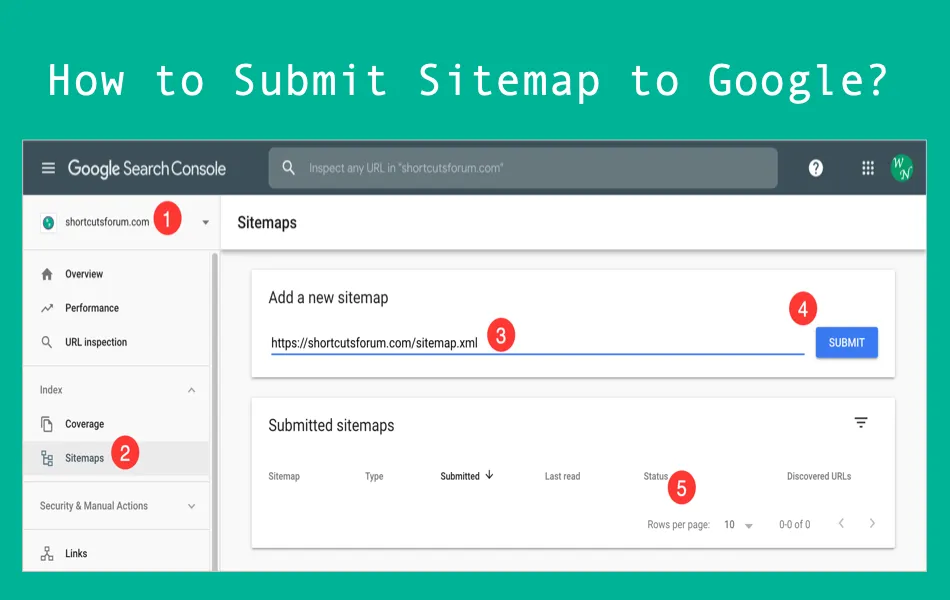
Submitting a sitemap is another crucial step in this Google Search Console guide. A sitemap is a file that lists all important pages of your website. It helps Google understand your website structure and index pages faster. To submit a sitemap, go to the “Sitemaps” section inside Google Search Console and enter your sitemap URL, usually ending with sitemap.xml. After submission, Google will process and index the pages listed in the sitemap.
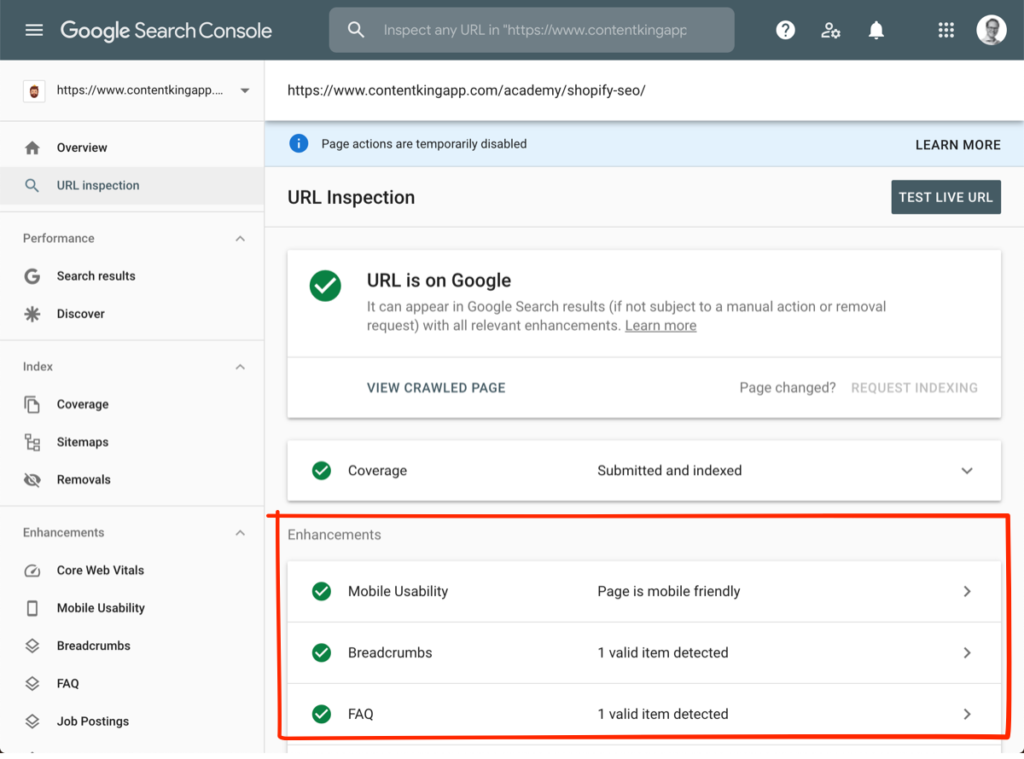
Indexing is one of the most important aspects of SEO. If a page is not indexed, it will not appear in search results. Google Search Console allows you to check indexing status under the “Pages” or “Indexing” report. If you publish a new blog post, you can use the URL Inspection Tool to request indexing manually. This feature speeds up the process of getting your content visible on Google.
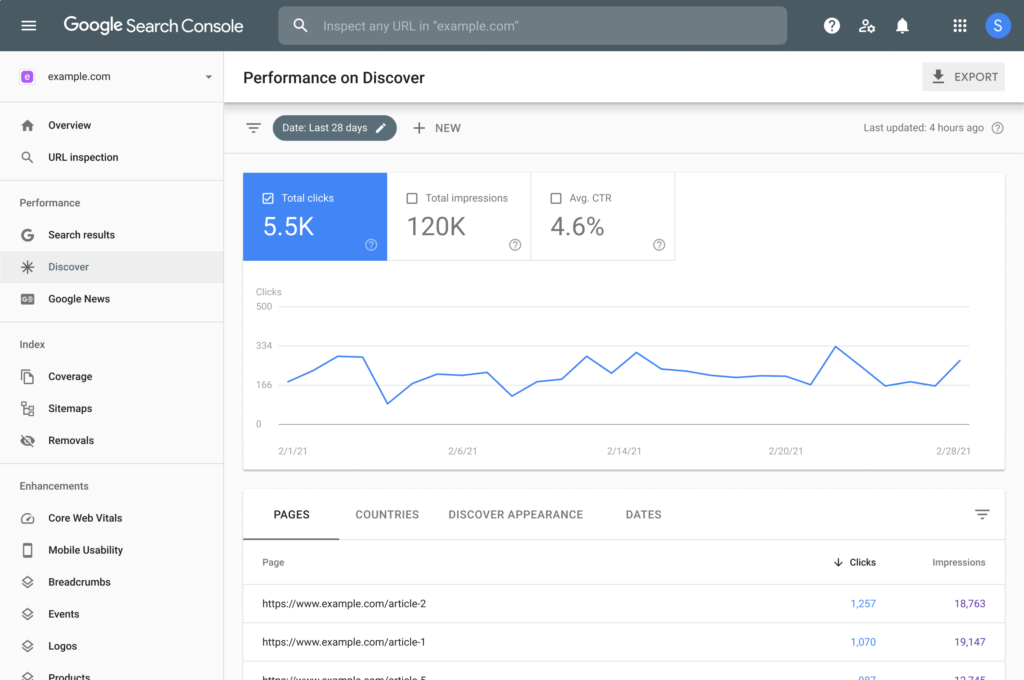
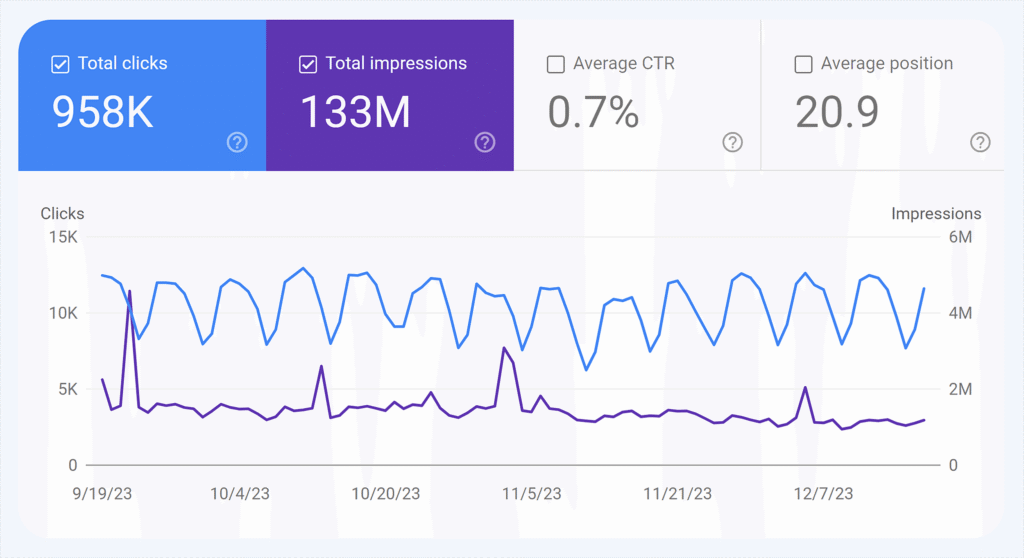
The Performance report is one of the most powerful features in Google Search Console. It shows data such as total clicks, total impressions, average click-through rate (CTR), and average position. This report helps you understand which keywords bring traffic to your website. You can analyze which pages perform well and which need improvement. By identifying keywords with high impressions but low clicks, you can optimize meta titles and descriptions to improve CTR.
Another important section in this Google Search Console guide is the Coverage or Indexing report. This section highlights errors that may prevent pages from being indexed. Common errors include “Page not found (404),” “Server error,” or “Crawled – currently not indexed.” Fixing these issues improves your website’s technical health and search engine visibility.
Google Search Console also provides information about Core Web Vitals, which measure user experience. These metrics focus on page speed, interactivity, and visual stability. Improving Core Web Vitals helps enhance both user experience and search rankings. You can identify slow pages and optimize them by compressing images, reducing code, or improving hosting performance.
The Mobile Usability report is another valuable feature. Since Google uses mobile-first indexing, it primarily evaluates the mobile version of your website. If there are mobile usability issues such as text too small or clickable elements too close together, you can fix them to improve performance.
Security and manual actions are also monitored inside Google Search Console. If Google detects spam, hacking, or policy violations, you will receive a notification. Addressing these issues quickly helps maintain website trust and ranking stability.
One of the best advantages of Google Search Console is that it provides real data directly from Google. Unlike third-party tools, the information comes straight from the search engine itself. This makes it highly reliable for tracking SEO performance and making data-driven decisions.
In conclusion, this Google Search Console guide shows that the tool is essential for every website owner and digital marketer. From verifying your website and submitting sitemaps to checking indexing status and analyzing keyword performance, Google Search Console helps improve SEO in a structured way. By regularly monitoring performance reports and fixing technical errors, you can enhance your website’s visibility and ranking on Google.
Learning how to use Google Search Console is a crucial step for beginners in digital marketing. It not only improves your website performance but also builds your confidence in handling real SEO projects. If you consistently analyze data and optimize your website based on insights, you will see steady growth in organic traffic and search engine rankings.